 Jan 28, 2023
If you work in the building or construction domain, you have likely come across the term 3D configurator across product demos, solution discussions, or digital platforms.
You might already have a rough idea, but let’s get into it anyway.
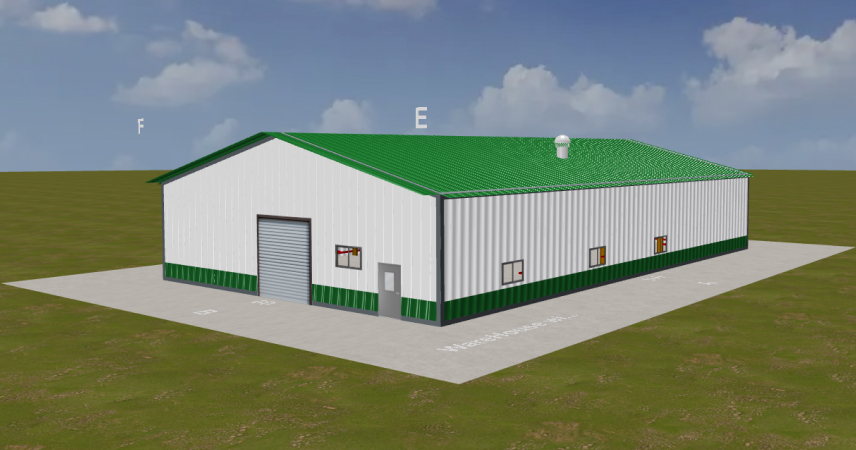
A 3D configurator is an interactive system that allows users to define and modify a structure in a visual environment. It enables real-time adjustments to parameters such as dimensions, layout configurations, structural components, and feature sets. Each change reflects immediately in the model, and in many cases, links directly to pricing logic or bill of materials.
This capability supports multiple usage scenarios.
-
 End users can independently explore different configurations to evaluate feasibility and preferences.
-
Sales or engineering teams can use the same interface during discussions to align requirements with what is practically achievable.
The growing attention around 3D configurators comes from this flexibility. It aligns well with how buyers now approach decision making, where access to interactive, detailed, and accurate representations plays a key role before moving into deeper engagement.
Where It Fits in the Current Buying Process
In most build-to-order workflows, the sales cycle depends heavily on iterative communication. A prospect shares requirements, the team develops a preliminary model or quote, sends it back, then revises it based on feedback. This cycle can repeat multiple times before anything gets finalized.
A 3D configurator reduces that dependency on manual iteration. It allows users to configure parameters on their own. They can modify dimensions, adjust layouts, include or exclude components, and immediately see the impact on the model.
This does not eliminate the role of the sales team. It moves their involvement to a later stage where discussions focus on validation, feasibility, and commercial alignment rather than basic configuration.
Many prospects now enter the funnel with a baseline understanding of what they need. They expect access to detailed, visual, and interactive information before engaging in deeper discussions. A configurable 3D model supports that expectation by making the product easier to evaluate without relying entirely on static drawings or verbal explanations.
It shortens the iteration cycle and brings more clarity into early-stage decision making.
Changing Buyer Expectations and the Need for Digital Configuration
Digital commerce has influenced how buyers evaluate and purchase even high value, configurable products. Buyers look for immediate interaction, the ability to explore variations, and the flexibility to move forward at their own pace.
-
Immediate interaction instead of delayed responses
-
Ability to explore multiple configuration variations independently
-
Flexibility to progress through the evaluation process without dependency
-
Higher acceptance of premium pricing when value is clearly visualized
-
Increased involvement in defining the final output
-
Limited ability to represent configuration variations through static assets
-
Dependency on manual consultation for requirement clarification
-
Reduced engagement during early-stage exploration
Integrating a 3D configurator into the website addresses this gap in a practical way. It introduces an environment where users can interact with the product, understand configurations in context, and move forward with better clarity. Over time, this can support higher engagement, better qualified leads, and a more scalable approach to handling demand.
-
Interactive environment for real time configuration and visualization
-
Improved clarity during requirement definition and evaluation
-
Supports scalable handling of configurable demand
How 3D Configurators Support Business Scalability
A 3D configurator works as a configuration and visualization layer within the overall sales and design workflow.
1. Parameter Driven Customization
Instead of relying on predefined variants, the system allows controlled flexibility through parameter inputs and rule sets.
-
Configures dimensions, layouts, and components based on defined constraints.
-
Generates valid combinations without manual validation cycles.
-
Supports nonlinear configuration flow where users define inputs in any sequence.
2. Unified Interface for Digital and Assisted Sales
The same configuration environment supports both self-service exploration and sales assisted discussions.
-
Eliminates dependency on static catalogs and repeated design iterations.
-
Enables real-time configuration during sales conversations.
-
Maintains consistency across online and offline touchpoints.
3. Mapping Configuration to Pricing and BOM
Configuration inputs directly influence commercial and technical outputs.
-
Links design parameters with pricing logic and bill of materials
-
Reflects cost and component changes instantly during configuration.
-
Improves clarity in early-stage cost evaluation and scope definition.
4. Demand Aligned Production and Asset Reusability
Structured configuration data improves how production and digital assets are managed.
-
Captures precise requirements before order finalization.
-
Reduces excess inventory and unnecessary material usage.
-
Reuses a single parametric model to generate multiple design variations.
5. Configuration Data for Optimization
User interaction within the configurator creates a structured dataset that can guide decisions.
-
Tracks selection patterns across features, dimensions, and layouts
-
Identifies frequently configured combinations and drop off points.
-
Supports product refinement and faster sales cycle execution.
How InstaBuild 360 can Scale your Business
Shifts in buyer behavior have already started influencing configuration driven sales models across build to order segments. Businesses are moving toward systems that reduce dependency on manual iteration and improve clarity during requirement definition.
InstaBuild360 operates as a configuration and visualization layer within this workflow.
It enables parametric configuration of building layouts, where user inputs control geometry, component selection, and structural variations within defined constraints. The system maintains alignment between design inputs and commercial outputs, allowing teams to work on a shared configuration model.
Across current implementations, teams using InstaBuild360 have started seeing measurable changes in how their pipeline moves, including 30% fewer design iterations, 2x faster quotes to approval cycles, and a 20% lift in conversion rates.
-
Reduction in early-stage iteration cycles due to clearer requirement capture
-
Higher engagement during configuration sessions, especially in self-service scenarios
-
Improved alignment between configured designs and final deliverables
-
Better visibility into frequently selected configurations and feature combinations
These outcomes come from standardizing how configurations are defined and reducing friction between exploration, validation, and execution.
But don't take our word for it, get our trial version and play with a configurator yourself!